 UKEC
UKECCareers
CV Guide
Applications
What a CV is, how it differs from a résumé, the seven sections it needs, and the mistakes that cost you the seven seconds an employer spends reading it.
What is a CV?
A CV — short for curriculum vitae, Latin for "the course of my life" — is a detailed one- to two-page document presenting an overview of your skills, experience, achievements and personal attributes. It is your first introduction to a prospective employer, which makes it the single most important document in securing an interview: it is where you make a first impression and demonstrate why you are the right candidate for the role.
CV or résumé?
The two words are often used interchangeably. They are not the same document, and which one you are being asked for changes what you send.
- Length — a CV is detailed and can run to two pages or more. A résumé is concise and fits on a single page.
- Content — a CV is an overview of your experiences, qualifications and accomplishments. A résumé is a quick, targeted summary of only the most relevant information about you.
- Layout — a CV is ordered chronologically and changes as your accomplishments grow. A résumé is reverse-chronological and heavily customised to each job.
Formatting
Employers spend an average of seven to eight seconds on a CV. Keep it professional and structured so that those seconds land.
- Keep it to one page, two at the absolute most. Concise and impactful beats complete.
- Use a professional font. Arial or Calibri, size 11, black. Nothing decorative.
- Structure the content. Bullet points and subheadings, so the page can be scanned rather than read.
- Tailor it. Adjust your base template to highlight the skills the job description asks for, informed by your research on the company.
- Check for mistakes. Spelling, grammar, capitalisation — all of it.
- Be honest. Employers verify backgrounds, check references, and will question anything on the page at interview.
- Use action words. Not "I did X" or "I worked on X", but "Collaborated with…", "Designed…", "Negotiated…". A list of buzzwords to draw on is in the Resources tab.
Key sections
Personal information
Full name, contact details — a phone number and an email address containing your name — and your LinkedIn profile. A professional photo is optional.
Academic history
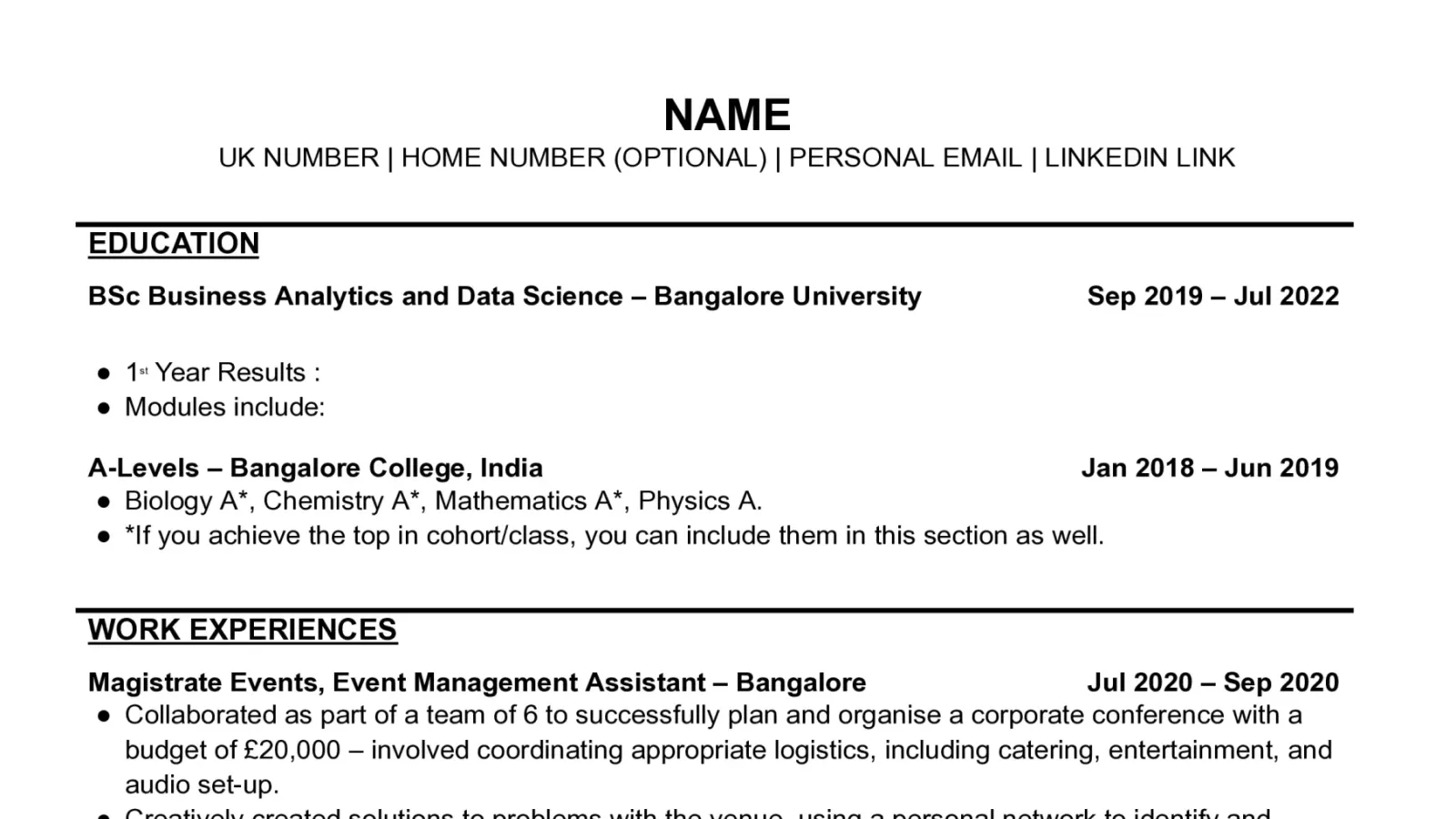
Your education in reverse chronological order: the institution, the years of study, and the courses relevant to the role.
Professional experience
Job title, company name, duration, and your key contributions and achievements — written with the STAR method, so each point carries a result and not just a responsibility.
Skills and qualifications
- Soft skills — teamwork, communication, leadership, time management.
- Technical skills — data analytics, programming, social media, project management.
Achievements and awards
The award name, the year you received it, and the organisation that gave it.
Publications and presentations
Academic or conference papers, with citations.
Hobbies and interests
If space permits — and only the ones that add something to your profile.
Mistakes to avoid
- Spelling and grammar errors. Typos create a bad impression before a single claim on the page has been read. Always proofread before submitting.
- Irrelevant information. Unrelated work experience and personal details clutter the page. Keep it relevant to the job you are applying for.
- Poor formatting. Inconsistent font sizes, poor alignment and no structure make a CV hard to read.
- Not tailoring the CV. A generic CV does not show your suitability for a particular role. Customise it to match the requirements.
- Overloading it with jargon. Excessive technical terms and corporate buzzwords make a CV harder to understand, not more impressive. Clear and concise wins.
Templates
A blank CV template, the same template filled in as a worked example, and the buzzword list are all in the Resources tab.